

What Should You Consider Before Investing in a Squarespace Website Template?
Below are three of our templates. They are all suited to a particular industry and are ready made designs you can just add your content to.
The alternative to a ready-made design is a custom designed website
View this design
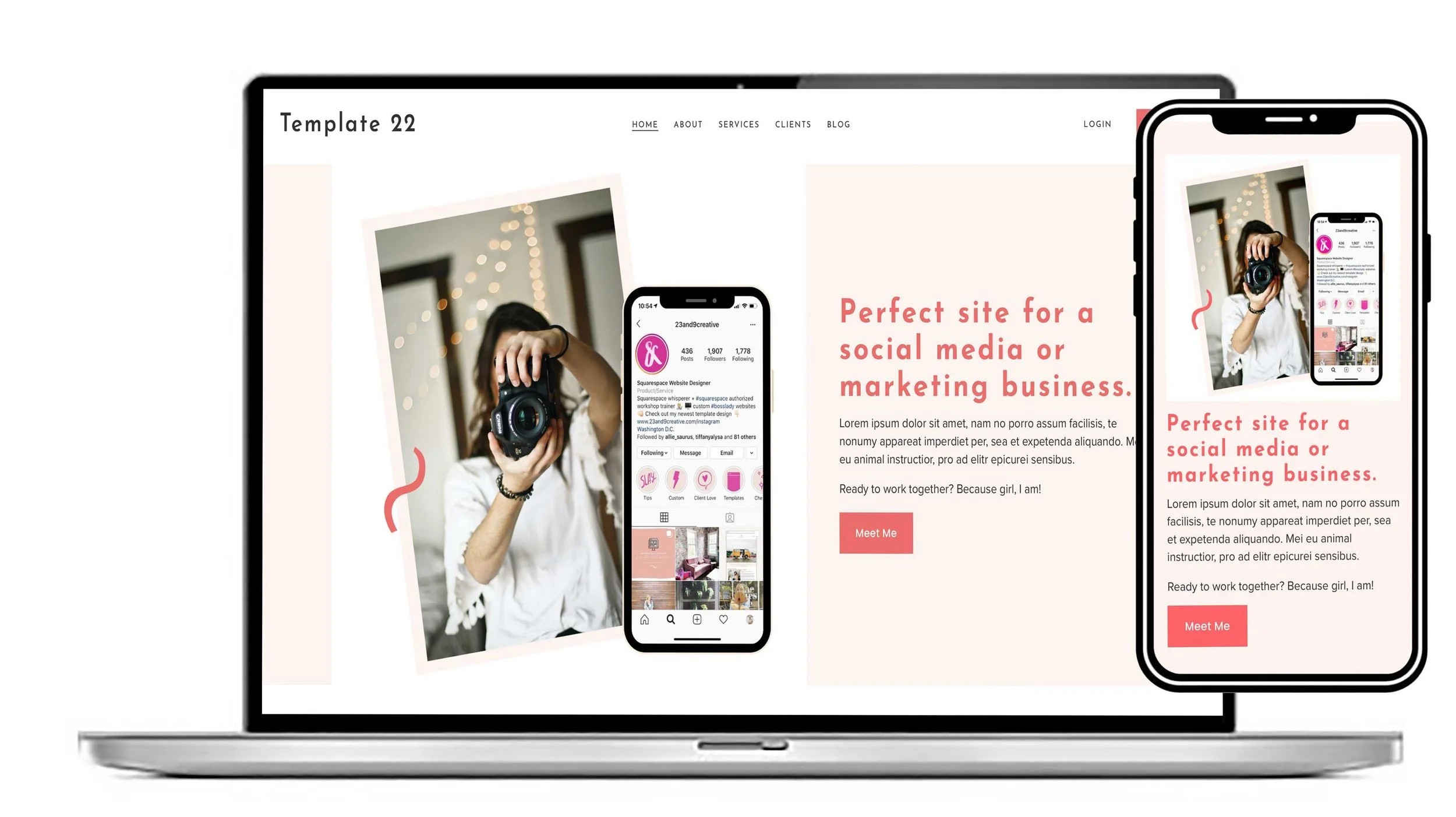
The Awesome is a sleek, contemporary Squarespace website template designed for marketing agencies, social media specialists and creative businesses that want to stand out.
With a bold, engaging layout and a mobile-friendly design, it makes it easy to showcase your services, highlight your expertise and turn visitors into clients.
Fully customisable to reflect your brand, it’s the perfect starting point for a professional online presence that makes an impact.
View this design
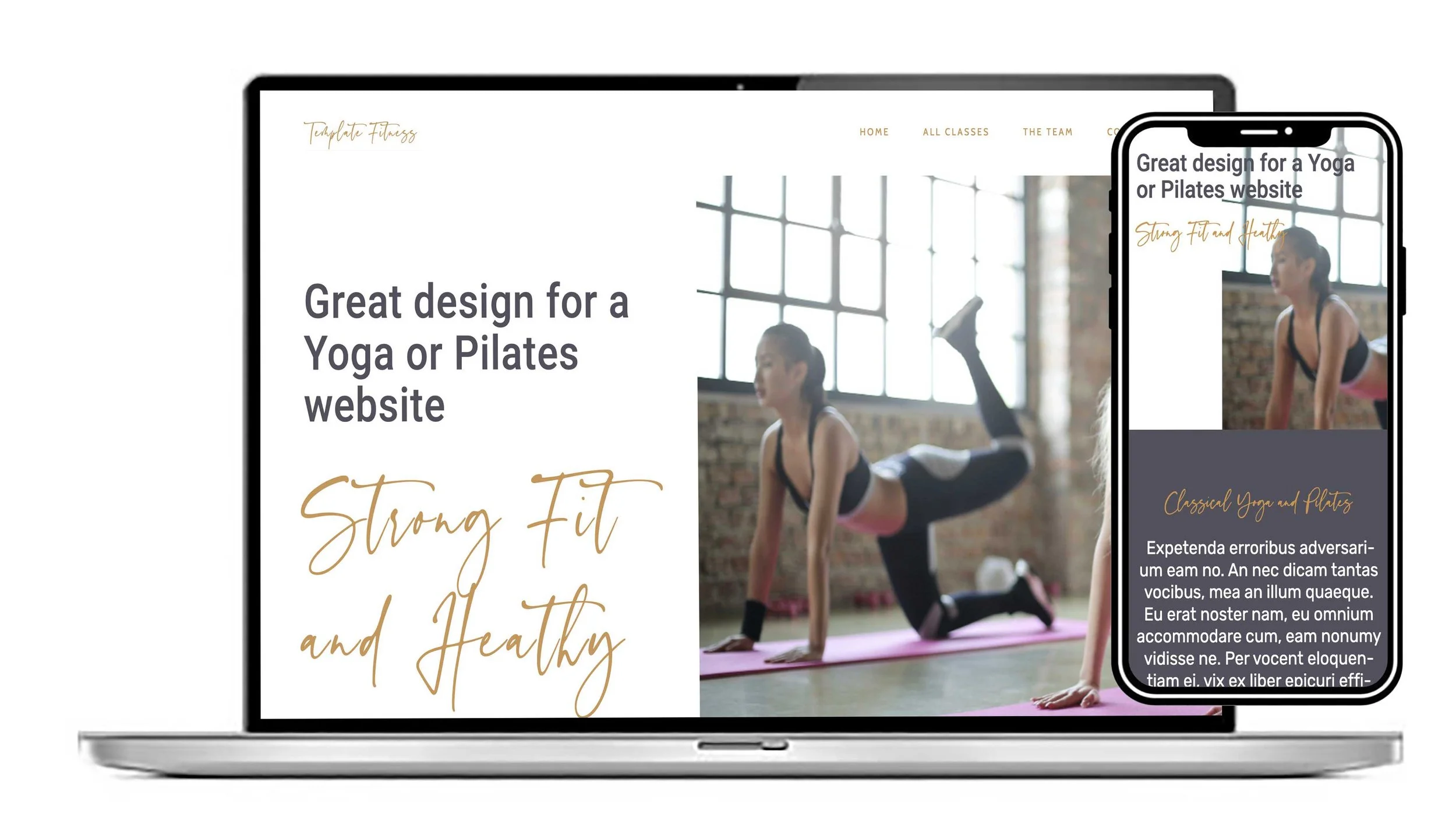
The Fitness Squarespace Website Template is a stylish, versatile design for personal trainers, Pilates and yoga instructors, fitness studios, wellness practitioners and lifestyle brands.
With a clean, modern layout and flexible customisation options, it makes it easy to showcase your services, build your brand and attract new clients.
Designed for Squarespace 7.1, this professional website template provides an affordable, easy-to-personalise foundation for growing your fitness or wellness business online.
View this design
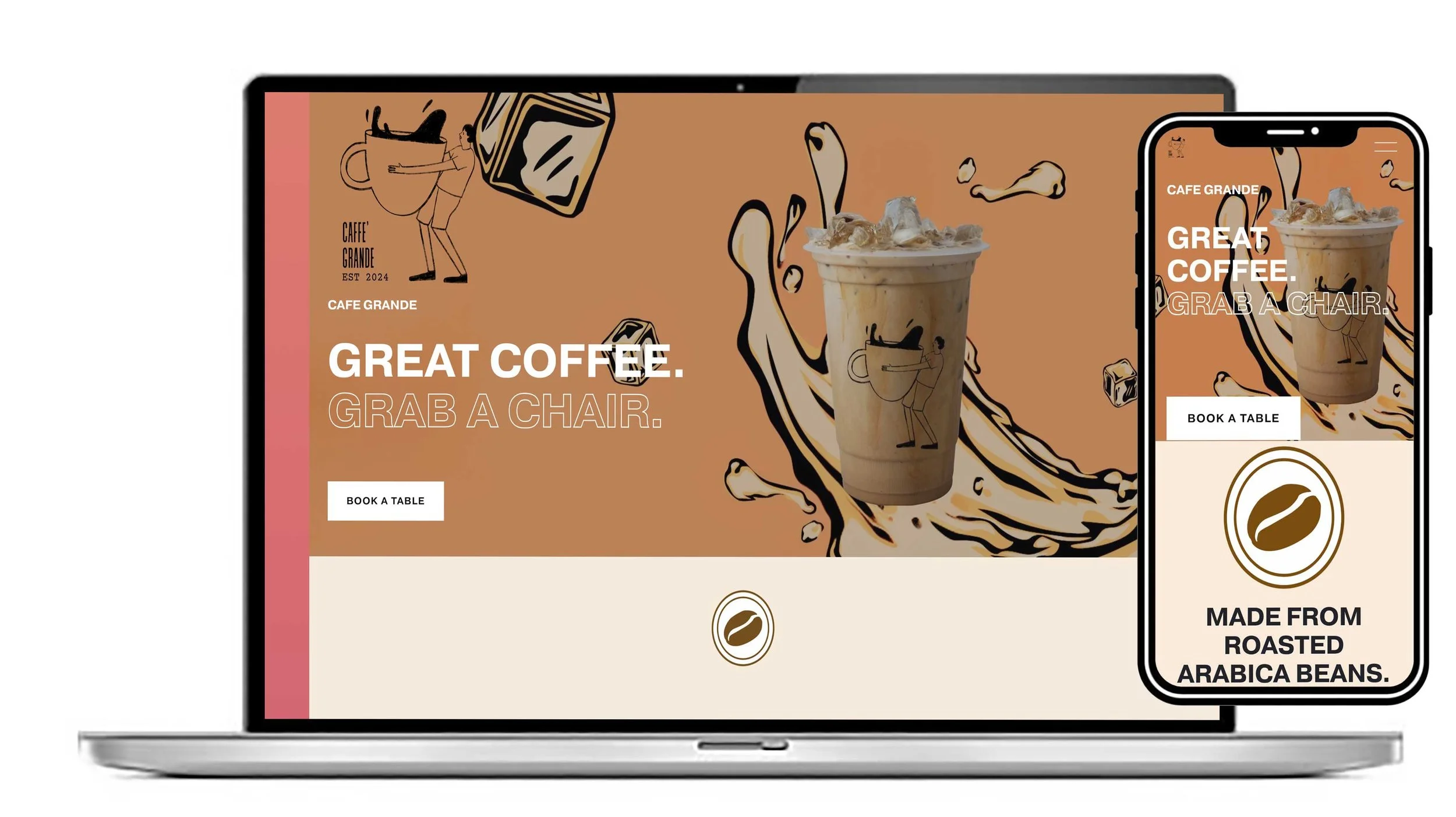
Give your café, coffee shop or restaurant a website as inviting as your business.
The Cafe is a sophisticated, image-led Squarespace template designed to showcase your menu, highlight your food and drink, and bring your brand to life. Its stylish, one-page scrolling layout makes it easy for customers to discover what you offer, find essential information and plan their visit.
Fully customisable and mobile-friendly, it’s the perfect starting point for creating a professional online presence that turns visitors into customers.
A website template can save you significant time and money compared with building a website from scratch.
However, choosing the cheapest or most visually appealing template isn't always the best decision. The right template should support your brand, business goals, content, performance requirements, and future growth.
Before investing, consider these key factors:
1. Your Website's Purpose
Start by defining what the website needs to accomplish. Are you building an online store, portfolio, business website, blog, landing page, or membership platform? A template designed for one purpose may not work well for another.
2. Design and Customisation
Look beyond the demo content. Check how easily you can change colours, fonts, layouts, images, menus, and other design elements. A template that looks great but offers little flexibility may become frustrating later.
3. Mobile Responsiveness
A large proportion of visitors will access your website from smartphones and tablets. Make sure the template is genuinely responsive and test its layouts across different screen sizes before purchasing.
4. Performance and Loading Speed
A visually impressive template can still be a poor investment if it's overloaded with animations, plugins, scripts, or unnecessary features. Look for lightweight code and good performance, particularly if search visibility and user experience matter to your business.
5. SEO Friendliness
The template should provide a solid technical foundation for search engine optimisation. Clean HTML, sensible heading structures, fast loading times, mobile compatibility, and good accessibility are all worth considering.
6. Browser and Platform Compatibility
Check whether the template works with your preferred CMS, website builder, hosting environment, browsers, and essential integrations. Compatibility problems can create unexpected development costs.
7. Support and Updates
Find out who created the template and whether they provide ongoing support. Regular updates are particularly important for templates that depend on a CMS, plugins, or third-party software.
8. Licensing and Hidden Costs
Don't assume the advertised price is the total cost. Check the licence terms and whether you need additional licences for multiple websites. Also consider hosting, premium plugins, fonts, stock photography, extensions, and future development.
9. Security
A template can affect the security of your website. Choose reputable developers with a history of maintaining their products, and avoid downloading templates from questionable sources simply because they're free or heavily discounted.
10. Ease of Use
Consider who will manage the website after it launches. If your team needs to update pages, publish articles, add products, or change images regularly, the template should make those tasks straightforward.
11. Scalability
Think beyond your immediate needs. Your website may eventually require additional pages, products, languages, integrations, booking functionality, or other features. Choose a template that won't force you to rebuild the entire site as your business grows.
12. Reviews and Real-World Examples
Don't rely solely on screenshots and marketing descriptions. Read reviews, examine customer websites, and look for feedback about performance, documentation, support, and ease of customisation.
The Bottom Line
The best website template isn't necessarily the one with the most features or the lowest price. It's the one that provides the right balance of design, flexibility, performance, security, support, and long-term value.
Before purchasing, ask yourself one simple question: Will this template make it easier to achieve my website's goals, both now and in the future? If the answer is yes, you're much more likely to be making a worthwhile investment.