

How to Build a Squarespace Website in Just a Few Hours Using a Template
Below are three designs that can be easily customised to turn into your own website.
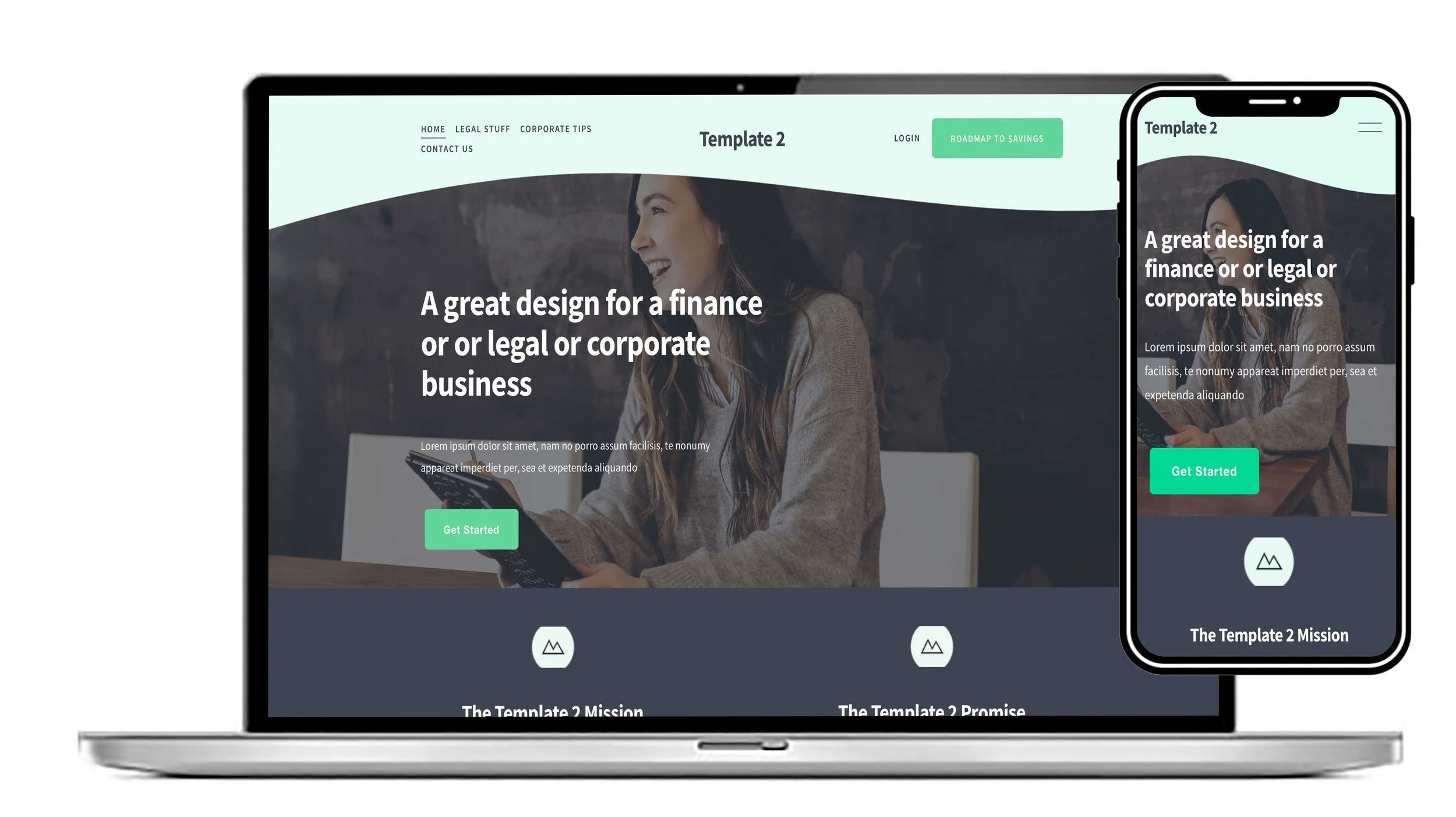
This is a design that would suit any corporate business. It's conventional and conservative and has a high end edge to it.
View this design
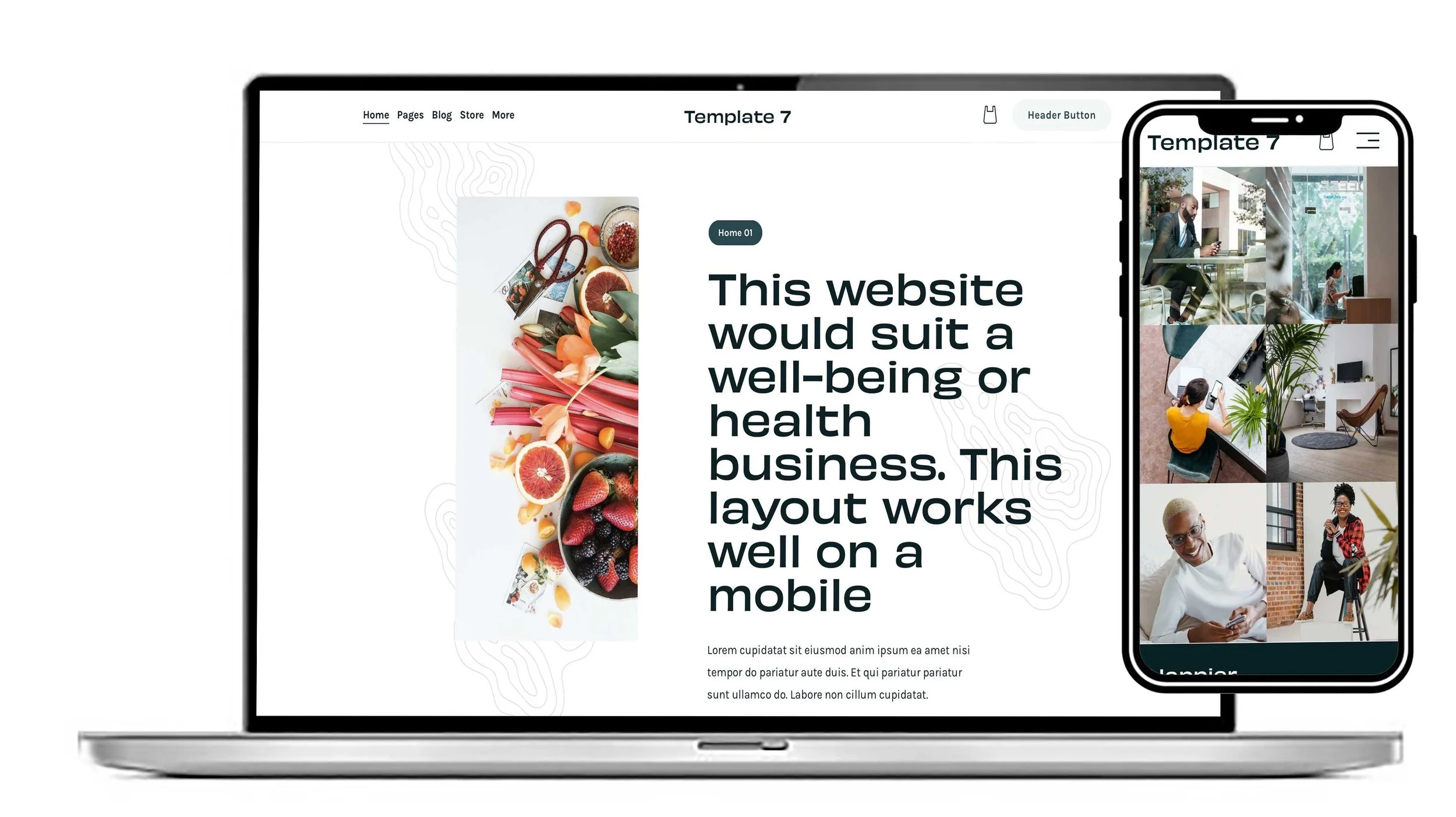
A fresh and conventional design where the choice of different pages have a background that you could easily customise. We can help you make it your own website.
View this design
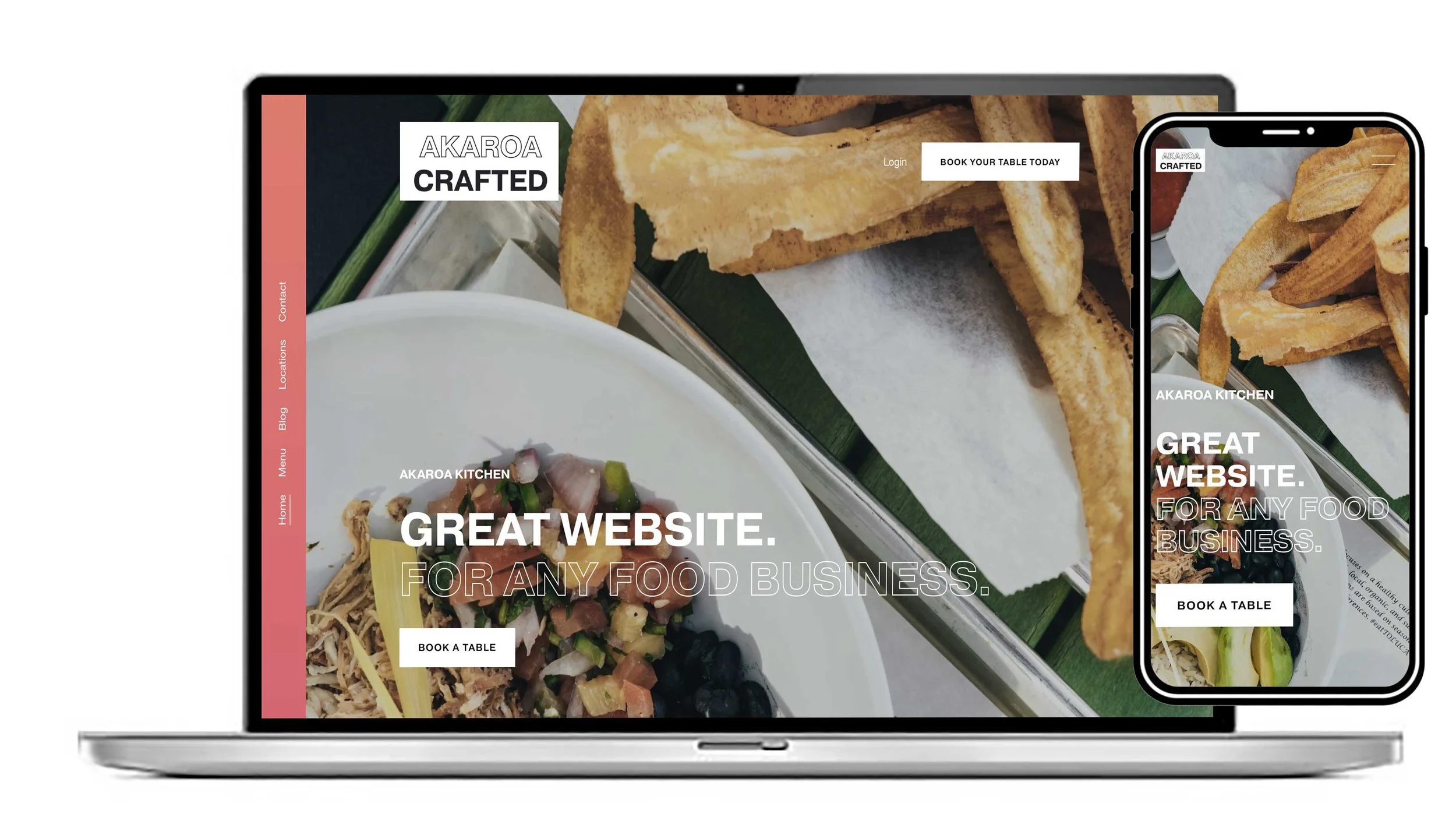
You can make this template look just the way you want with your own images and text. Great design if you’re looking for a website that functions well on mobile.
View this design
You can realistically turn one of our designs into a polished business website in a few hours using one of our Squarespace website templates because the template already provides the design/layout.
Our templates are built for Squarespace and the main job is replacing the placeholder text/images, branding and content.
The fastest way to do it
1. Get the template installed first — 15–30 min
Choose one of our designs that is closest to your business rather than trying to redesign one. We currently have templates aimed at areas such as services, fitness, hospitality, healthcare, trades, weddings, creative businesses and shops.
If you already have a Squarespace account, we can put the design onto your account; otherwise we can set up an account for you.
2. Prepare all your content before editing — 30–45 min
Don't write content while you're clicking around Squarespace. Have these ready in one document:
Business name + logo
One-sentence description of what you do
Homepage headline
Short introduction/about paragraph
3–6 services/products
Prices, if applicable
Phone/email
Location/service area
Testimonials
Main call-to-action
Social-media links
8–15 good-quality photographs
This is probably the biggest time saver.
3. Replace the template content — 60–90 min
Work through the website in this order:
Homepage → About → Services → Contact → other pages
For each section, only change:
Placeholder text → your copy
Placeholder photos → your photos
Logo → your logo
Buttons → your links
Colours → your brand colours
Fonts → your preferred fonts
Don't start moving sections around unless something genuinely doesn't work. The whole advantage of one of our templates is that the layout has already been designed for you.
4. Set up the essentials — 30–45 min
Before worrying about tiny design details, get these working:
Contact form
Email address
Phone links
Navigation
Social links
Google Maps/location if relevant
Booking system if needed
Privacy/cookie information
Favicon
Page titles and descriptions
Domain
Our templates can also be adapted for things such as booking systems, shops, memberships and other functionality.
5. Do a mobile pass — 20–30 min
This is important. Don't assume the desktop version automatically looks perfect.
Go through every page on mobile and check:
Headings aren't enormous
Buttons aren't awkwardly positioned
Images aren't cropped badly
Sections don't have excessive empty space
Navigation works
Forms work
Text is readable
Our templates are mobile-friendly.
A realistic 4-hour schedule
TimeJob0:00–0:30Install/prepare template0:30–1:00Add logo, colours, fonts1:00–2:15Replace homepage + main content2:15–3:00Finish secondary pages3:00–3:30Forms, links, SEO, domain3:30–4:00Mobile + final testing
The key is not to try to make it perfect. Get the whole website complete first, then do one final polish pass.
If you tell me what type of website/business you're building (e.g. tradesman, consultant, restaurant, estate agent, personal brand, etc.) and which of our templates you’re interested in. We’ll advise you which one will work best for you.
We can help you with any aspect of your website.
Below are three designs that can be easily customised to turn into your own website.
Our templates are ready-made website designs. We make it easy to create professional, polished websites without starting from scratch. With a range of ready-made layouts and styles, users can quickly customise templates to suit their needs, whether they’re creating social media content, marketing materials, presentations, or other visual assets. The templates save time while still giving users the flexibility to add their own branding, colours, images, and text, making it simple to produce content that looks consistent and professional.